How to take custom ring orders without losing track.
Agree, build, tag, print, deliver: a process for custom orders.
A custom ring order has a few details that must not get mixed up: who it is for, the size, what is engraved and where the piece is in the process. Morcano Studio's My Designs library holds those details with each ring, so a batch of gifts or a set of commissions stays in order.
The process
Agree the details
Settle the size system and size, the text or pattern, and the colour. If the client supplies a logo, confirm they hold the rights to it.
Build and save the ring
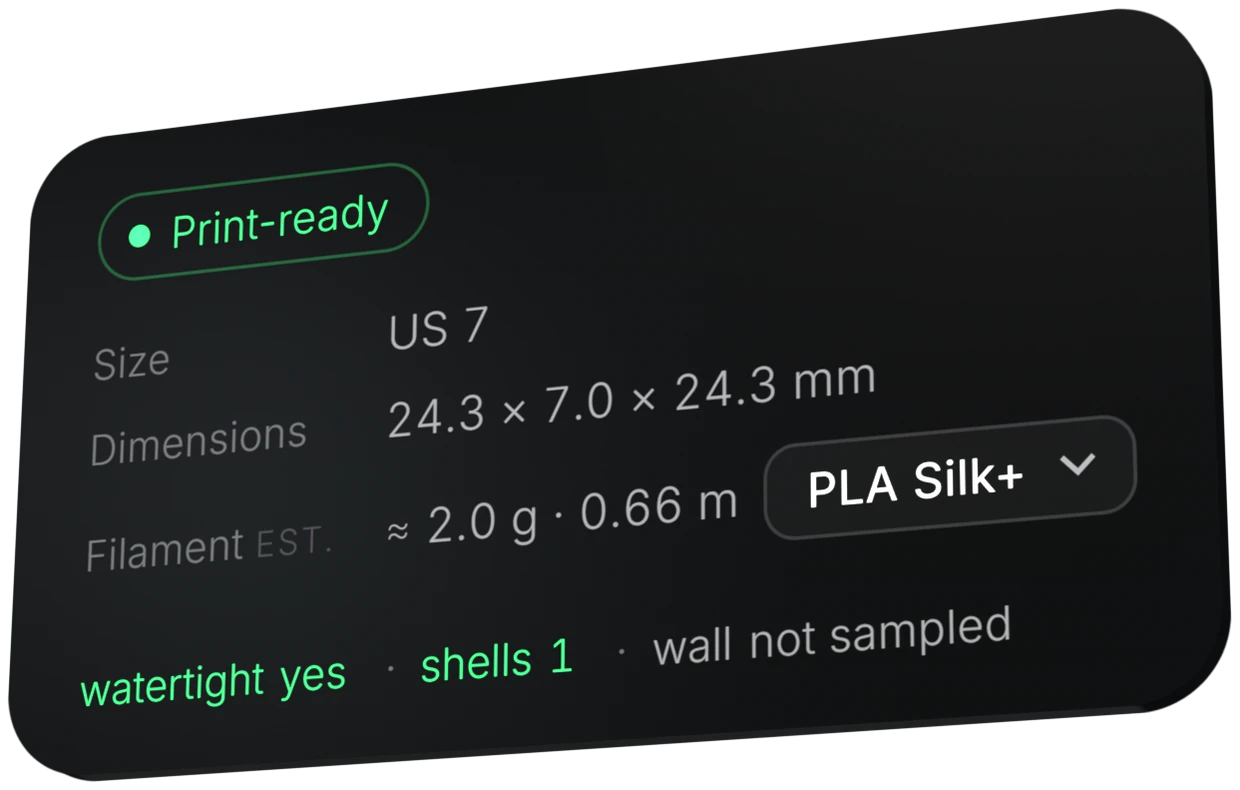
Design it in the studio, check the status card, and save it to My Designs.
Tag it
Tag the ring to the client or order and add a note: who it is for, the order number, the colour.
Print
Export 3MF or STL, print on your own printer, and set the status to Printed.
Deliver
Set the status to Delivered when the piece reaches the client.
Tip.A wrong size is the most avoidable problem. Ask for the size in a named system, or the inner diameter in millimetres, and confirm it back before printing.
Tip.The skin-safe filament you use and the printer calibration are your responsibility under the Terms section 7.
Questions
Where do I keep the order details?
In My Designs: each saved ring carries its size, dimensions and filament estimate, a client or order tag, a note and a status.
Which statuses are there?
New, To print, Printed and Delivered.
Can another printer shop make the ring for me?
Yes, a contractor may print for you if it is bound to confidentiality and non-retention of the files. See the Terms section 7.